


How Thryv + Jobber work together
Spend less time guessing and more time closing
Say goodbye to manually sorting and scoring leads. Thryv does it for you, so you can focus on following up faster and closing more jobs.
Leads automatically sync
New leads from Thryv flow directly into Jobber, eliminating manual entry and ensuring no lead slips through the cracks.
See who deserves attention first
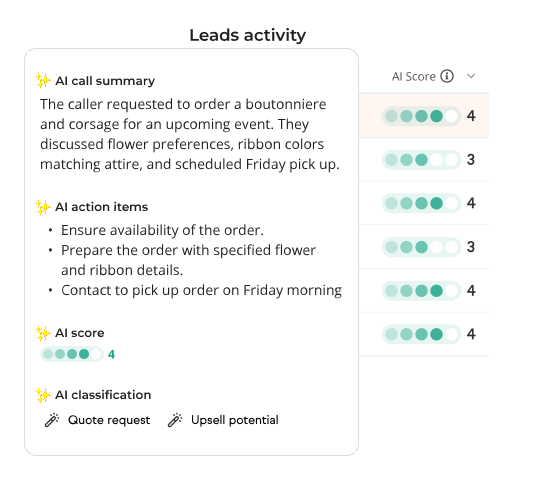
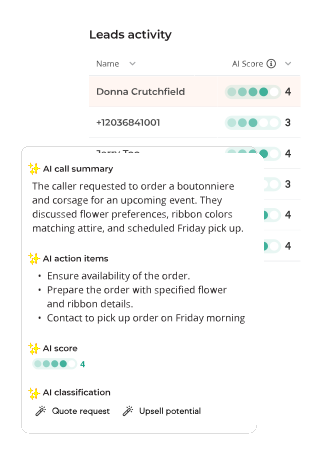
Thryv generates lead scores and summaries, helping your team quickly identify the opportunities most likely to become booked work.
Take action in Jobber
All the lead details, scores, and summaries appear directly in Jobber, so your team can follow up, schedule jobs, and keep work moving.
How it works
Your marketing runs in the background so your team can stay focused on the work
Thryv captures, analyzes, and delivers lead information to Jobber automatically, helping your team stay organized without changing the way they work.
Thryv works behind the scenes to attract and capture new leads, so your pipeline keeps growing while you focus on running your business.
Lead information moves from Thryv to Jobber automatically, eliminating manual entry and helping ensure no opportunity gets missed.
Each lead is scored and summarized before reaching Jobber, giving your team a quick understanding of the opportunity without digging through details.
Your team can manage leads, customers, and jobs in Jobber, with the information they need automatically delivered to the tools they already use.
Seamless Installation
Connect in three simple steps
Set it up once. From then on, qualified leads sync into Jobber automatically.
Faqs
Have questions? We’ve got answers
-
You'll need an active Thryv account and a Jobber account. Simply connect and authorize Jobber through Thryv to get started.
-
When AI Lead Insights are available, leads with a score of 3 to 5 are automatically sent to Jobber. Leads without a score may also sync if there isn't enough information to generate insights or AI Lead Insights aren't available.
-
Yes. Once a lead reaches Jobber, your team decides how to follow up, manage the opportunity, and move it through your workflow.
-
Contact details and lead source information are automatically sent to Jobber. When available, AI Lead Insights also include a lead score, summary, and supporting details.
-
The lead can still be sent to Jobber with its available contact and source information. Lead scores, summaries, and other AI-powered insights will simply not be included.
-
Thryv Technical Support can help you connect and use the Jobber integration. Visit learn.thryv.com for additional resources and support.